← All features
Time & attendance
Every hour accounted for
However your team starts their shift — their own phone, a tablet by the door, or a tap on the wall — the hours land in one place and come out payroll-ready. Even when the Wi-Fi drops.

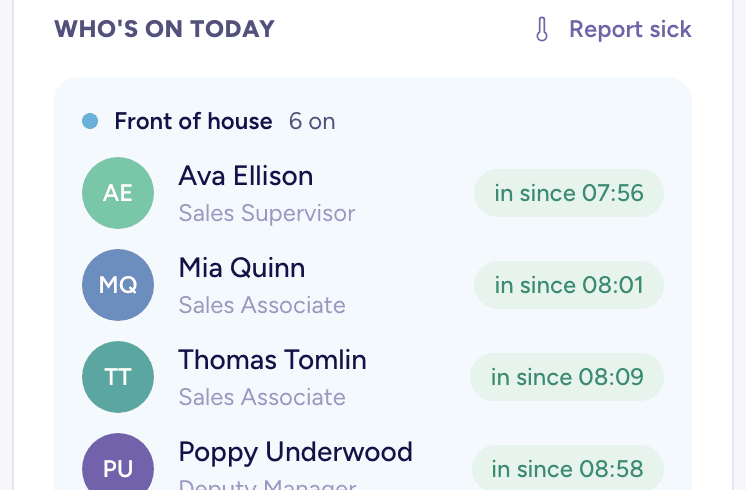
Your morning, at a glance
Open it and the day is already there
- Who is in, who is still to arrive, and what is waiting on you — grouped by area so cover gaps are obvious.
- A plain-English briefing at the top: what needs you today, and nothing when nothing does.
- Clock in from the same screen, whichever way your team does it — phone, NFC tap or the tablet by the door.
- Live, so it updates as people clock in without anyone refreshing.

Clocking in
Three ways in, one set of hours
- On their own phone, wherever they start the shift.
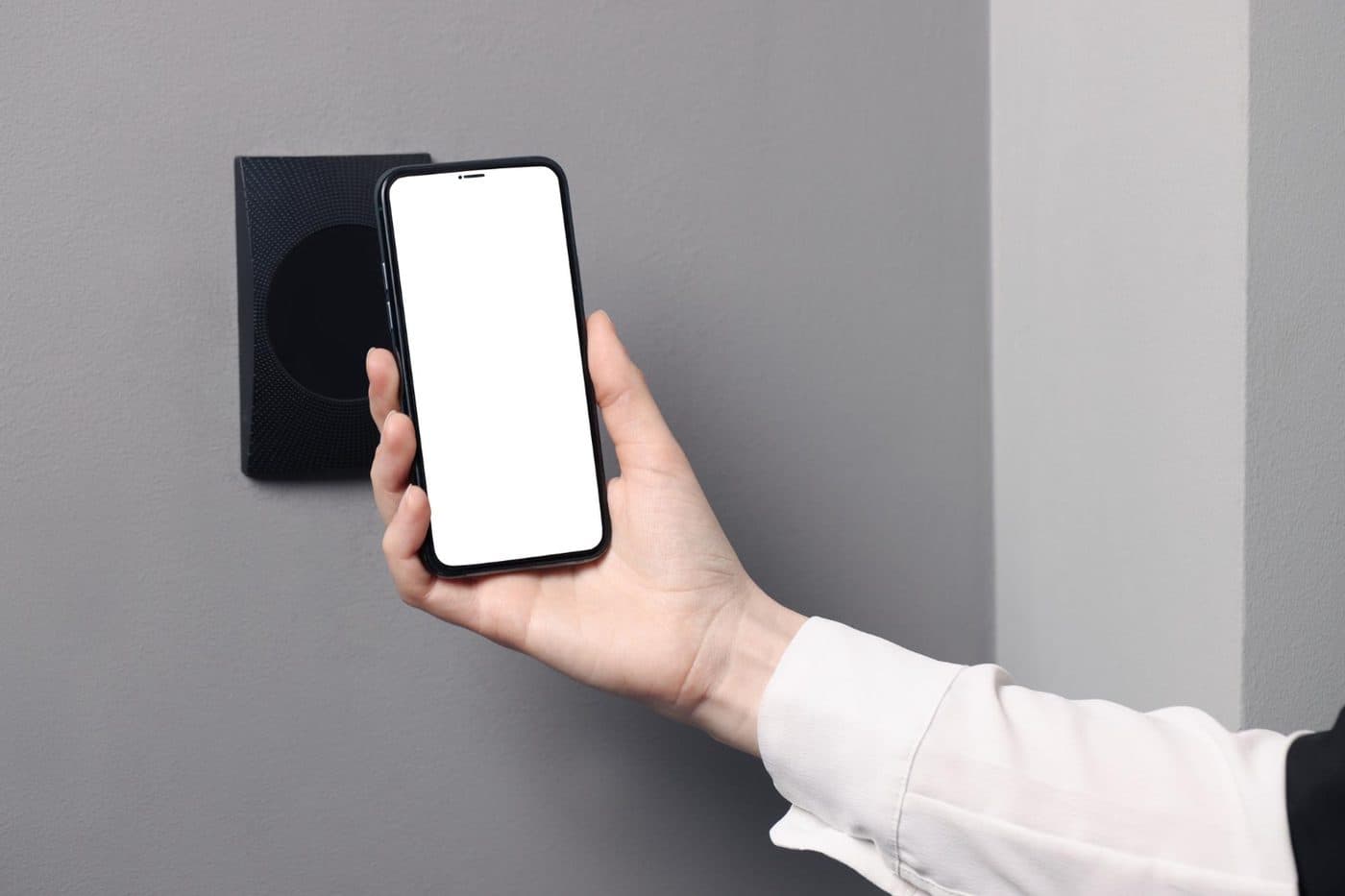
- A tap on an NFC sticker by the door — no app to open, no PIN to remember.
- A PIN kiosk on a shared tablet, branded in your colours, for teams without work phones.
- However it happens, it lands in the same weekly timesheet.
Works offline
Clocks in even with no signal
- The clock captures each punch on the device the instant your team taps — no waiting on a connection, no spinner, no lost hours when the venue Wi-Fi drops.
- It syncs the moment you are back online, into the same timesheet, at the time it actually happened.
- Built for the places a live-only clock quietly fails: a walk-in freezer, a loading bay, a rural attraction with one bar of signal.
- Records you can trust — clock-ins from a wall tablet you have approved are tamper-evident, and anything that looks off is flagged for a manager to review, never silently lost.
Timesheets & approvals
Payroll-ready without the chase
- Clock-ins roll into weekly timesheets on their own — approve the week and export to CSV or PDF.
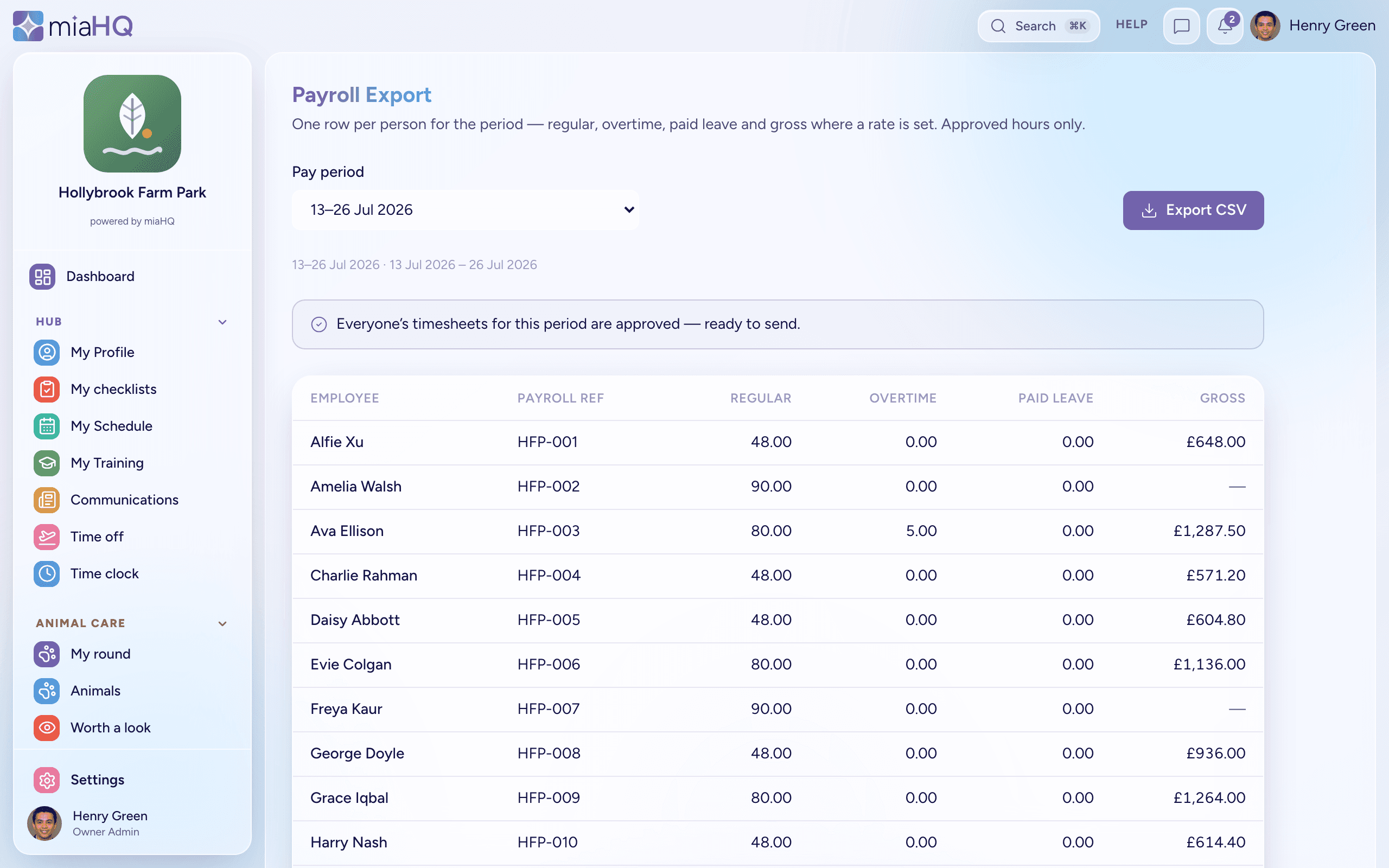
- When payroll is due, the Payroll screen rolls the approved weeks into one row per person for the whole pay period — regular, overtime and paid leave, with gross where you have set a rate. It counts approved hours only, and carries each person’s payroll ID so the file drops into your payroll system.
- Corrections leave a trail: every edit records who changed what, and an approved week locks.
- Timesheets and leave land in one Approval Centre, with rota clashes flagged before you decide.
Ready for a calmer way to run your team?
miaHQ is in early access with a small group of shift-based businesses. Leave your details and we'll be in touch.
No growth tax. No charge for your staff. Every feature in every plan.