← All features
Daily operations
The jobs that keep the place running
The opening checks, the fridge temperatures, the thing that broke on Tuesday. Recurring work and one-off jobs, both with a record you can show someone.

Checklists
The opening list, there every morning
- Build your opening, closing and weekly routines once — miaHQ puts them in front of the right people on the right days.
- Staff tick as they go on their phone. Each tick is signed and timed, so you know who did it and when.
- Lists rest folded once they are done, so a finished morning looks finished rather than shouting for attention.
- Set a list to run daily, on chosen days, or every time a room or piece of kit is used.

Readings & safety checks
Temperatures you can prove you took
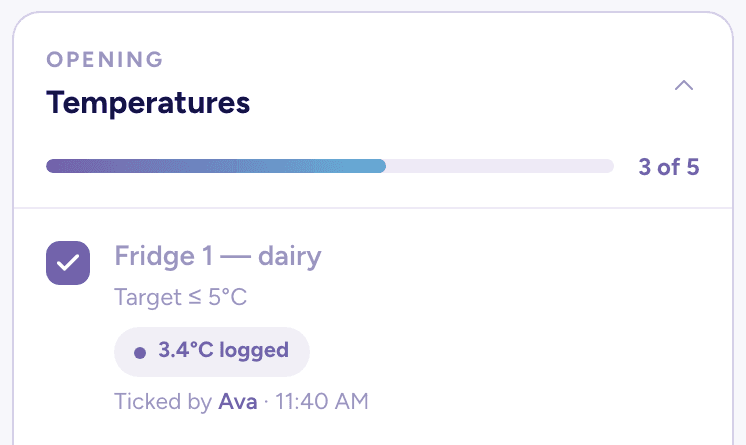
- Capture fridge and freezer temperatures, cash floats and counts as part of the same list.
- Set the safe range once. Anything outside it is flagged for a manager automatically — calmly, in honey, not a wall of red.
- The person doing the check sees the target right there, so there is no guessing what "too warm" means.

Records & reports
The proof, when someone asks for it
- Every completed check is kept with the name of whoever ticked it and the time they did.
- Filter the history by date range or by a single checklist, then download it as a PDF.
- Renaming a checklist never rewrites what was already recorded — old records keep the wording that was actually ticked.
Quick tasks
The thing that broke on Tuesday
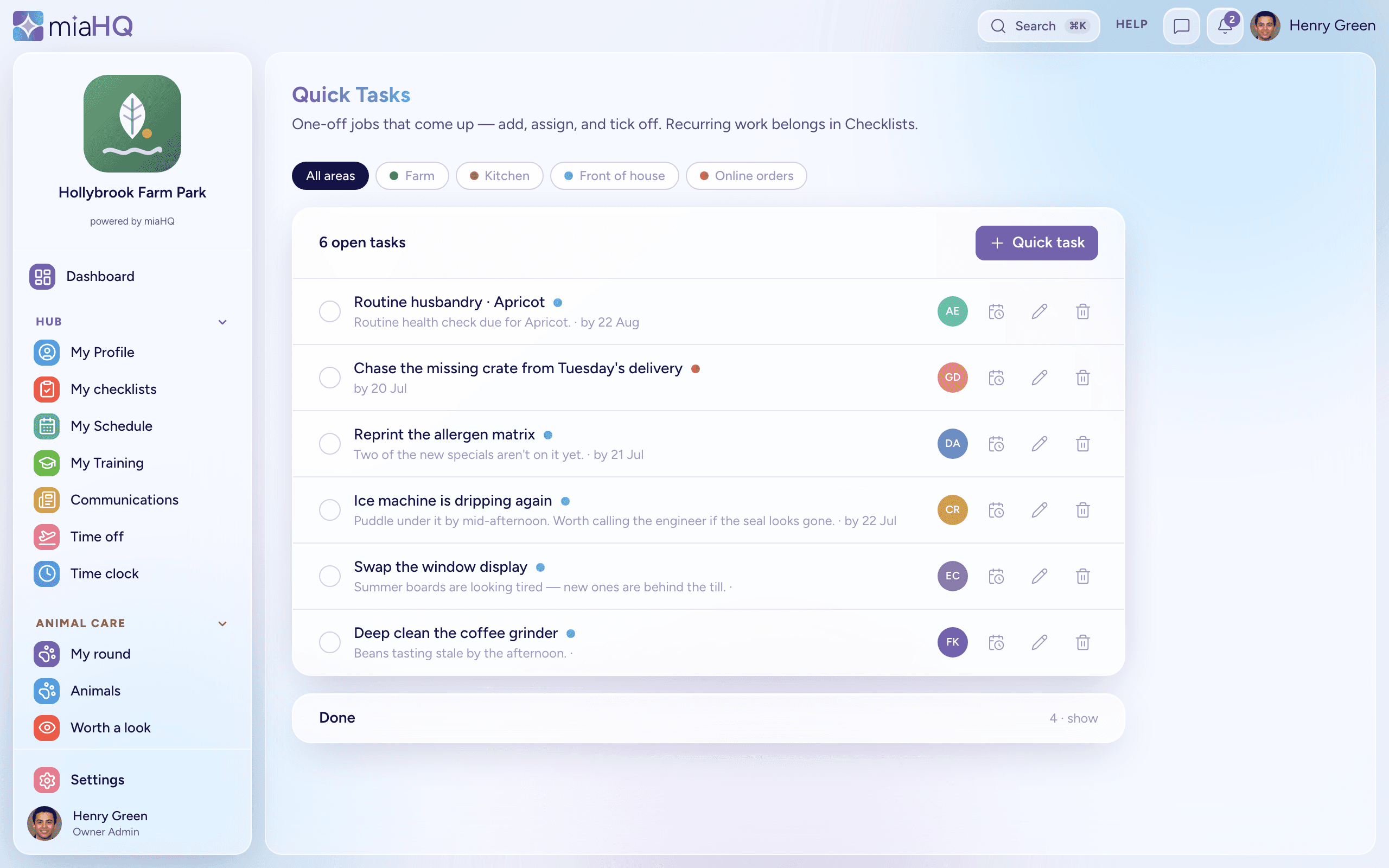
- Assign a one-off job to a person, with an optional area and due date. They get a notification and it appears on their home screen.
- One tap to mark it done. No priority flags, no overdue alarms — deliberately calm.
- Checklists stay the home of recurring work, so the two never blur into one another.
Risk & safety
The risk register, done properly
- A real assessment, not a text box: each hazard has who is at risk, the controls already in place, and a likelihood-by-severity score that lands it in a clear band — low through critical — with a residual score once the extra controls are in.
- Give every assessment a review date and miaHQ watches it for you. When one falls due it becomes a task for the right area, so a review never quietly lapses.
- Agreed an extra control? Give it an owner and a date and it turns into a tracked job, so “we should put matting down” actually happens.
- Start from a library of common assessments — general workplace, fire, COSHH, manual handling, young persons, events, soft-play and inflatables — then adapt each to your site.
- Every sign-off is kept as a dated snapshot, and any assessment exports to a clean PDF for the health-and-safety folder or an inspector.
Animal care
For farm parks and animal attractions
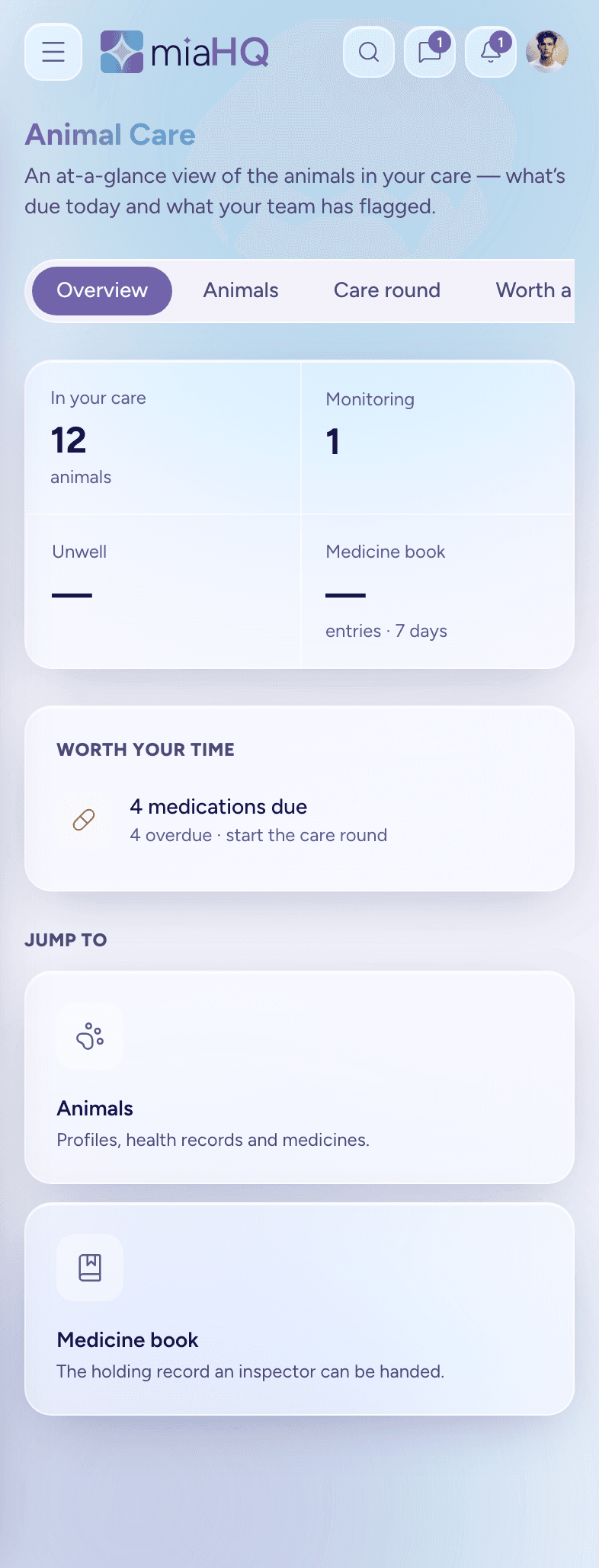
- Animal care opens on an at-a-glance overview — medicines and health checks due today, and anything your team has flagged — so you know what needs you before you walk the round.
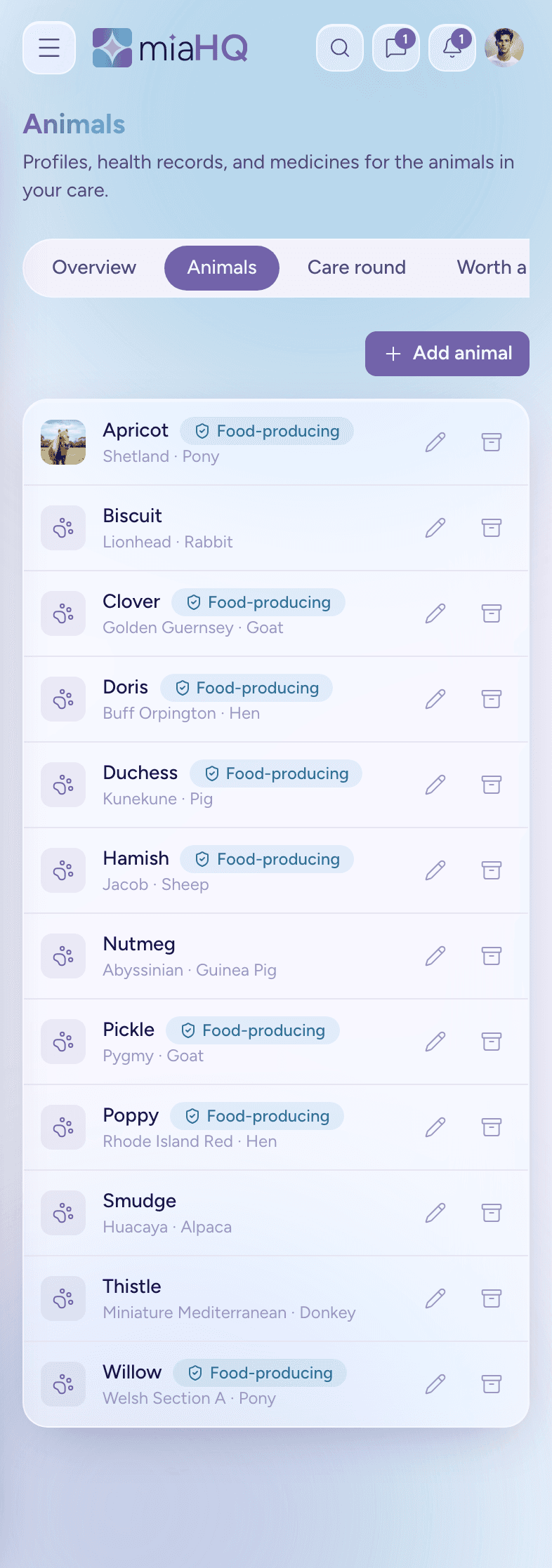
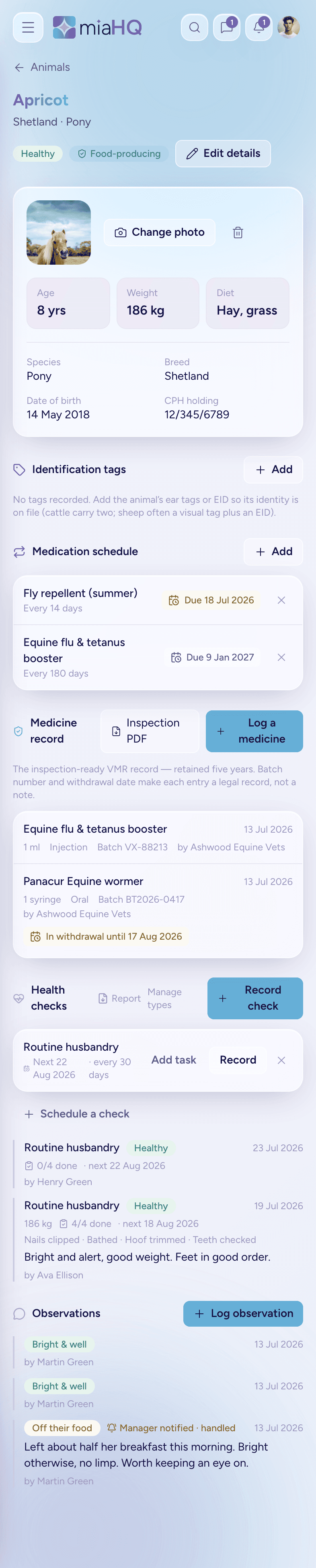
- Keep an animal record for each of them — identity, holding, and whether they are food-producing.
- Log medicines against the animal and miaHQ works out the withdrawal date for you.
- A daily care round staff complete on their phone, so nothing is missed on a busy weekend.
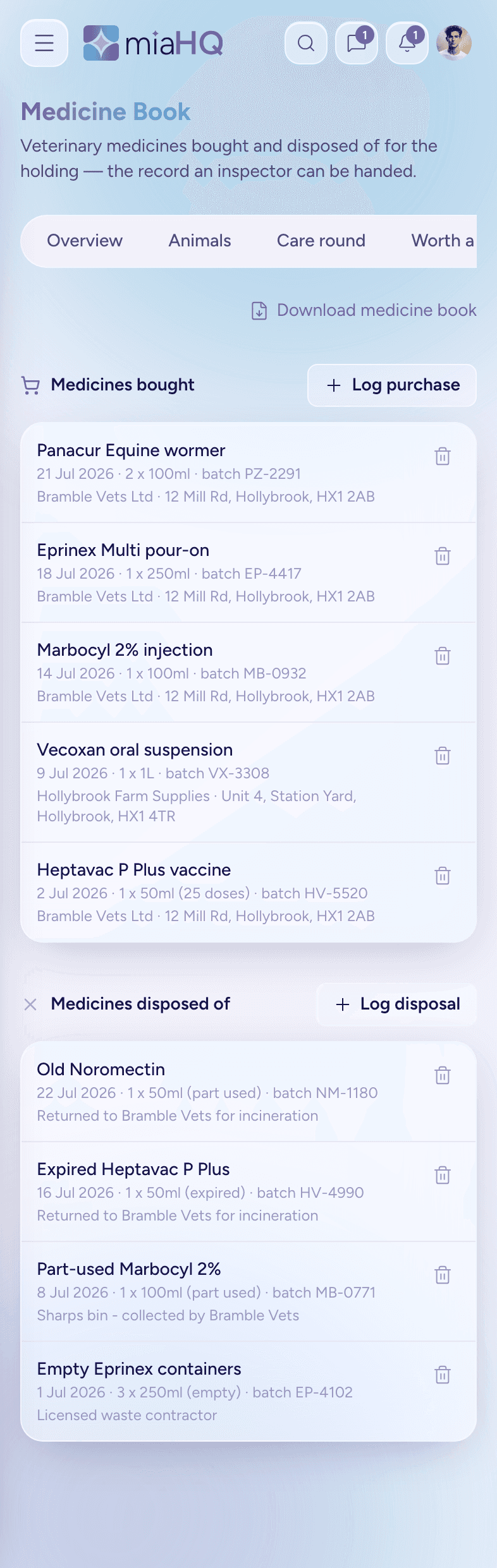
- Export it all as an inspection-ready PDF when someone asks to see it.
Areas
Front of house, kitchen, admissions
- Split the venue however it actually works, with a colour for each area.
- See who is on today grouped by area, so cover gaps are obvious at a glance.
- Give a supervisor their area and nothing more — they approve and assign for their own people without seeing the whole business.
Ready for a calmer way to run your team?
miaHQ is in early access with a small group of shift-based businesses. Leave your details and we'll be in touch.
No growth tax. No charge for your staff. Every feature in every plan.