← All features
Scheduling
The week, filled for you
Build the rota by hand on a drag-and-drop grid — or press Fill with Mia and the open shifts fill themselves, around everyone’s leave, availability and hours. AI you can audit — and private: it shows its working, tells you exactly what it couldn’t fill, and runs on our own model, so your team’s data never goes to an outside AI.
Fill with Mia
The week, filled for you
- One press and the open shifts fill themselves, as many as can honestly be filled. Nobody you have already placed is moved, so nothing you settled gets undone.
- Every assignment respects the rules: the person holds the role, is not on approved leave, is available for those hours, is not double-booked, and will not go over their contracted max.
- Your coverage windows come first — a first-aider each afternoon, a supervisor on every close — then the remaining hours spread to people below their minimum.
- AI you can audit. Most rota AI hands you a filled week and asks you to trust it. This one shows its working: every assignment is re-checked against your rules before it lands — the right role, not on approved leave, within contracted hours, no clashes — and you get a report of exactly what it filled and every slot it could not, with the reason. The model runs privately on our own infrastructure, so your team’s scheduling data never goes to an outside AI service.
Build by hand
Or build it yourself, fast
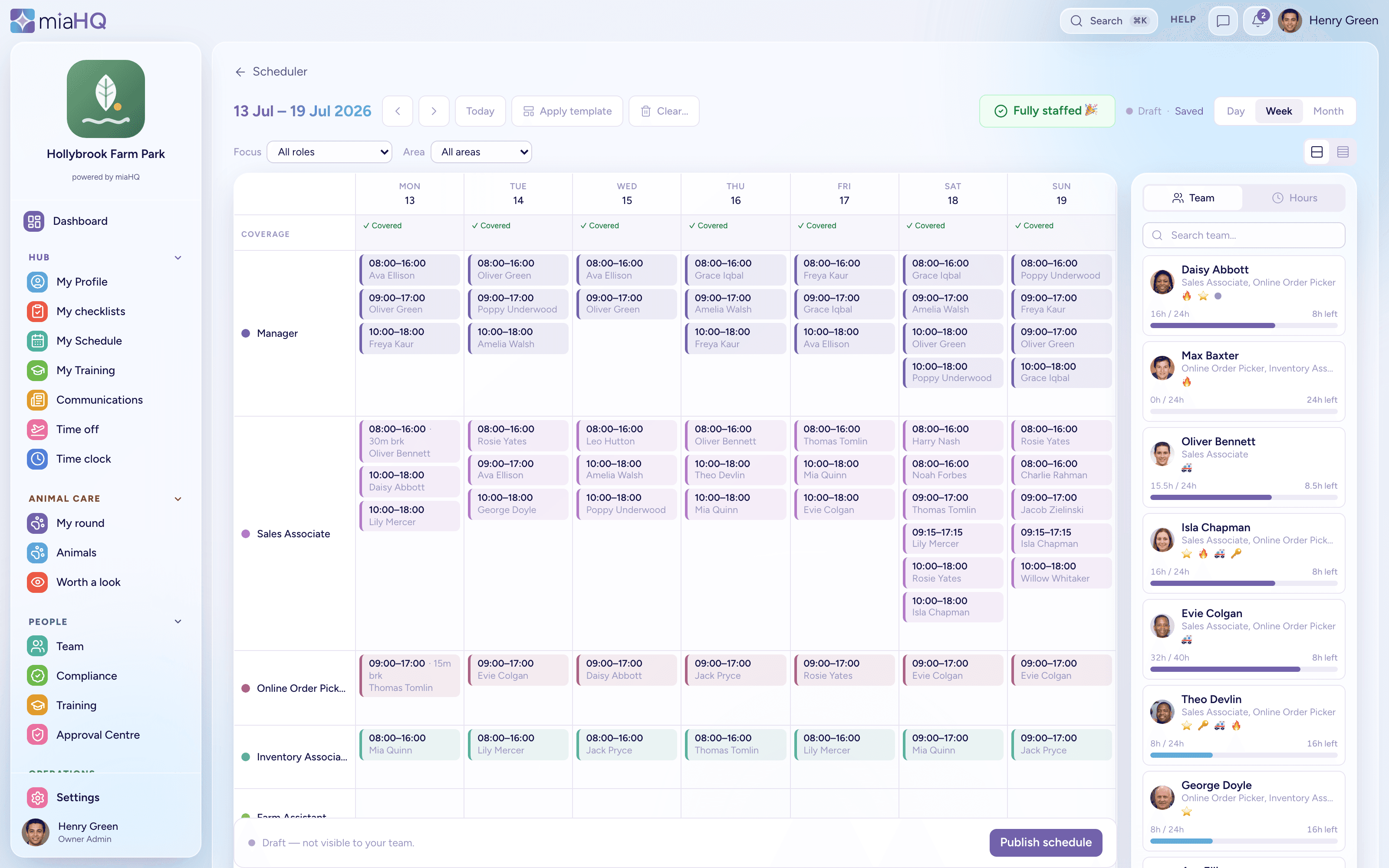
- A week grid and a day view, with shifts you drag onto areas and people.
- Filling and hand-editing are not either/or — fill the week, then tidy the edges yourself.
- Areas colour the grid, so cover gaps are obvious as you go.
- Set an unpaid break on a shift and it comes off the paid hours — the totals you see are the hours you actually pay.
Recurring & coverage
The shifts that never change
- Set a recurring pattern once — the Tuesday cleaner, the weekend duty manager — and it appears every week.
- Recurring shifts are treated as fixed: their person is kept and everything else is scheduled around them, never reshuffling what you have already settled.
- Coverage requirements say what a good week looks like — how many of which skill, in which window — so “filled” means “properly covered”, not just “everyone has a shift”.
Review & publish
Nothing goes live until you say so
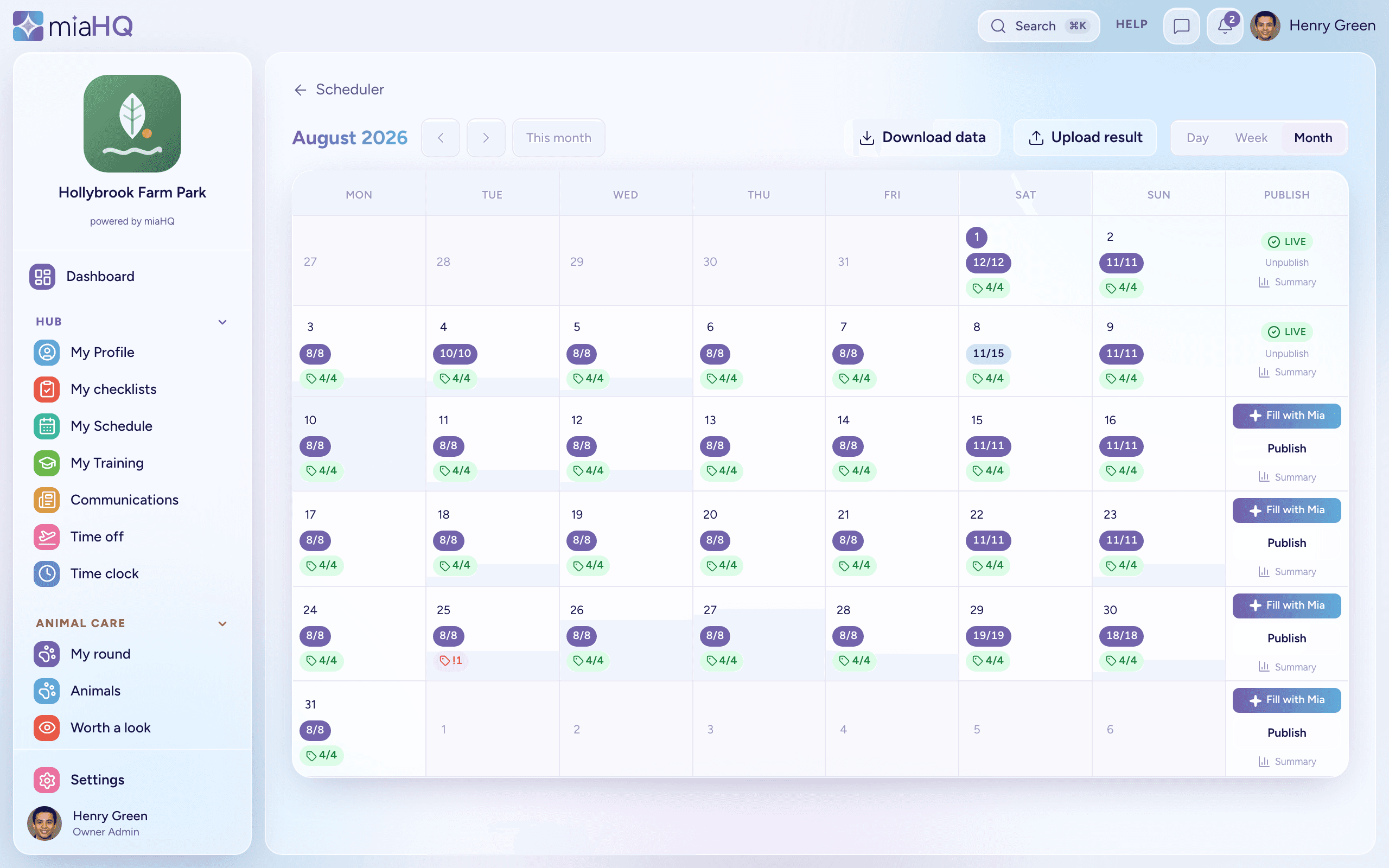
- Before you publish, miaHQ shows the week’s coverage, the slots still open, and anyone scheduled under or over their hours.
- Clashes with approved leave or another shift are flagged, not silently allowed.
- Publish when it is ready and the team sees their shifts. A gap on a published week can still be filled in place — only open slots are ever touched, so a live rota gains cover without anyone’s shift moving.
Swaps & open shifts
Let the team sort the small stuff
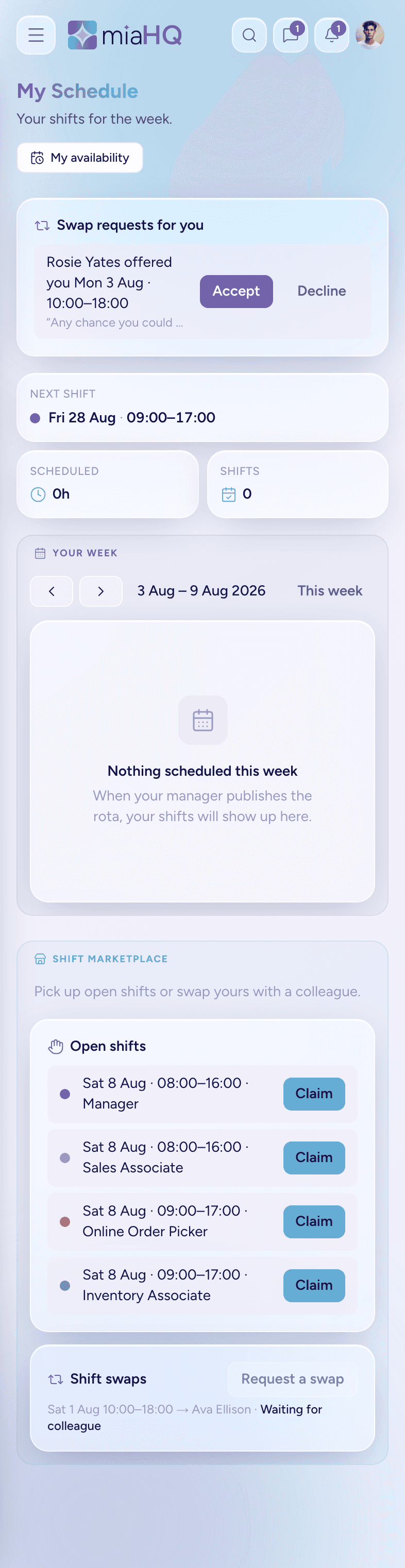
- Publish a week with an open shift and staff can claim it themselves — miaHQ checks it is still free and does not clash before it becomes theirs.
- Someone who cannot make a shift can offer it to a named colleague, with a note. It is a direct offer, not a free-for-all.
- Every swap is a three-step handshake: the colleague accepts, then a manager approves, and only then does the shift change hands. You keep the final say without being the middleman.
- Requests show their state plainly — waiting for the colleague, waiting for a manager, approved or declined.
Share the week
The rota, where the team already looks
- Turn a published rota into a clean, readable image and post it to News in a couple of taps — or download it to share however you like.
- Choose the scope: the whole team, a single area, or one person’s shifts.
- Share an area’s rota and only that area gets the post, so nobody wades through shifts that are not theirs.
- Only published weeks can be shared — a draft can still change, so it never goes out by accident.
Ready for a calmer way to run your team?
miaHQ is in early access with a small group of shift-based businesses. Leave your details and we'll be in touch.
No growth tax. No charge for your staff. Every feature in every plan.